
Golan Telecom Call Forwarding Guide
Step-by-step instructions to set up call forwarding with Golan Telecom to identify hidden calls with Traceback
Log in to Golan Telecom
Log in to the Golan Telecom main website with your phone number
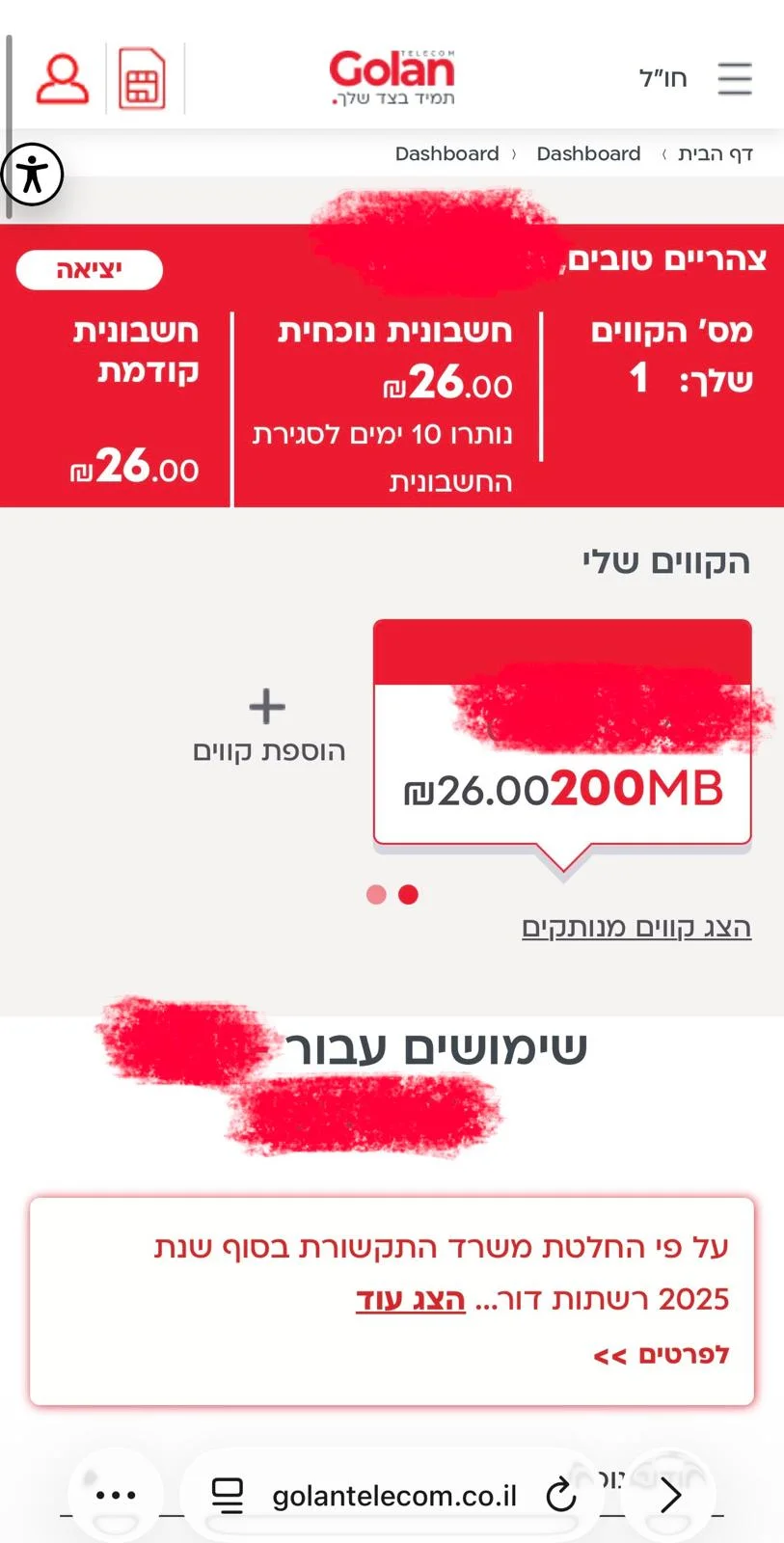
Find "More Actions"
After logging in, you'll reach your personal area. Scroll down until you find "More Actions" and click on it once.
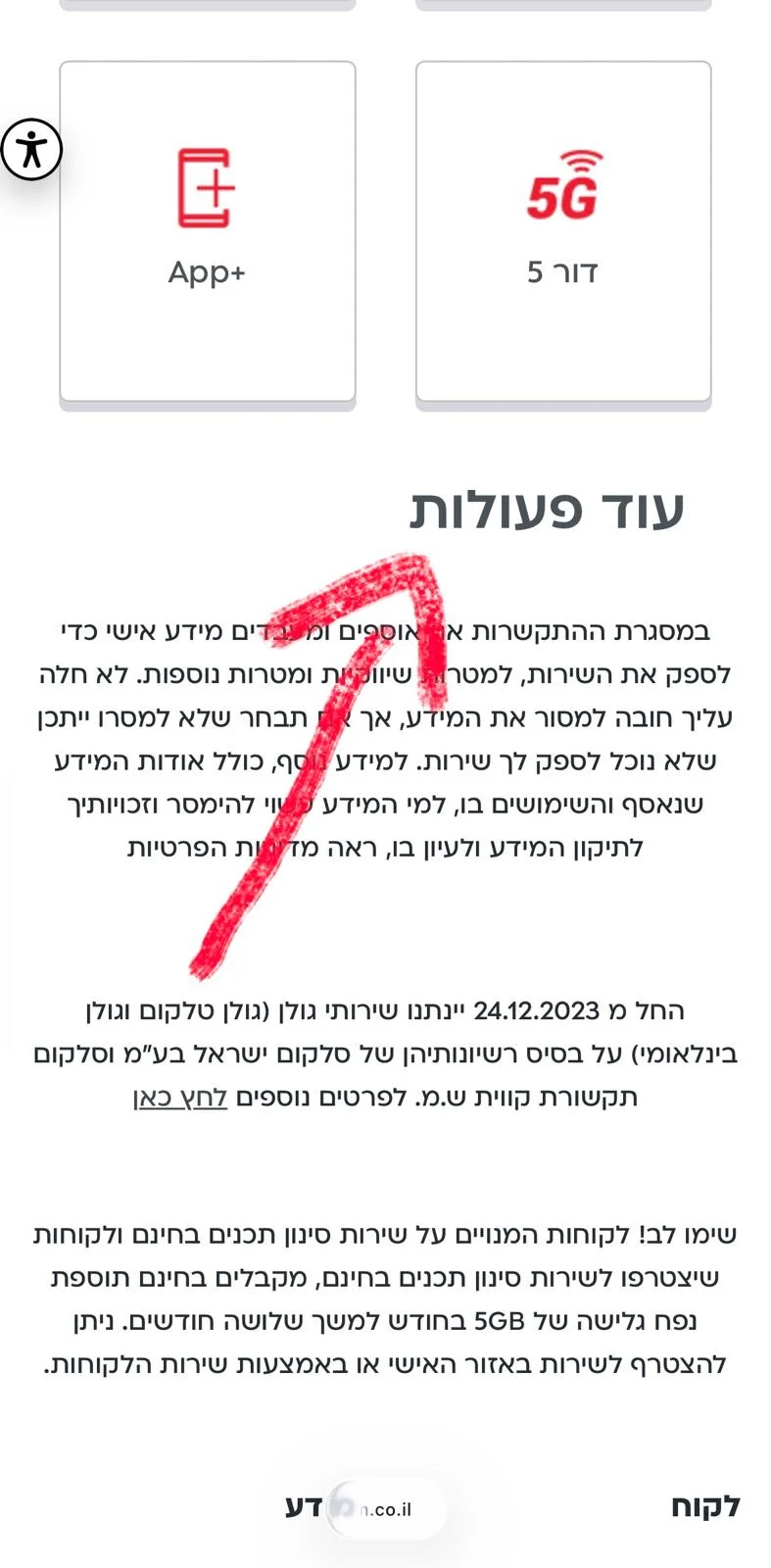
Select "Follow Me"
After clicking "More Actions", a new menu will open. Scroll down until you find "Follow Me" and click on it once.
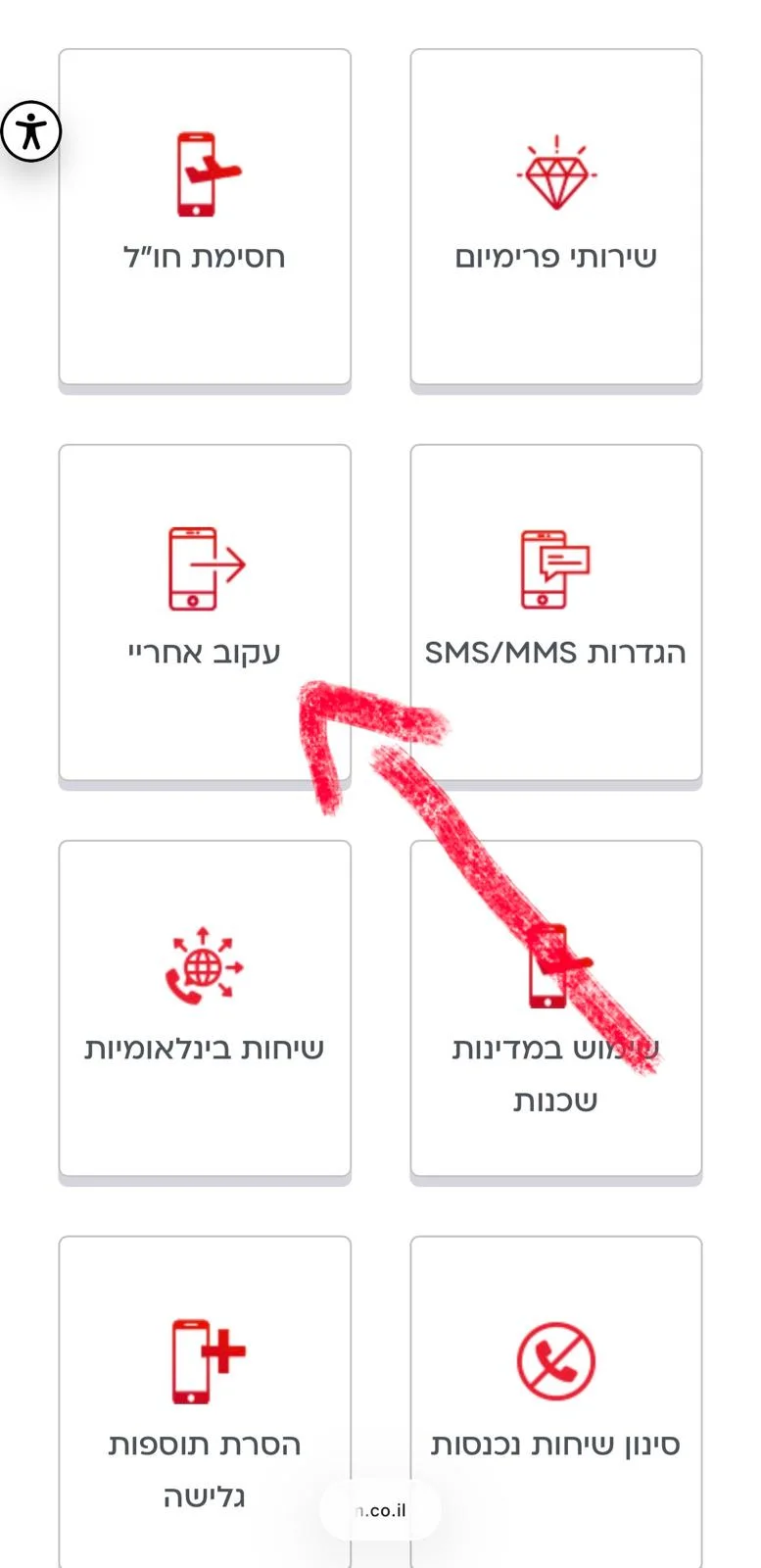
Click on "Follow Me" Option
After clicking "Follow Me", three options will open. Click on the "Follow Me" option.
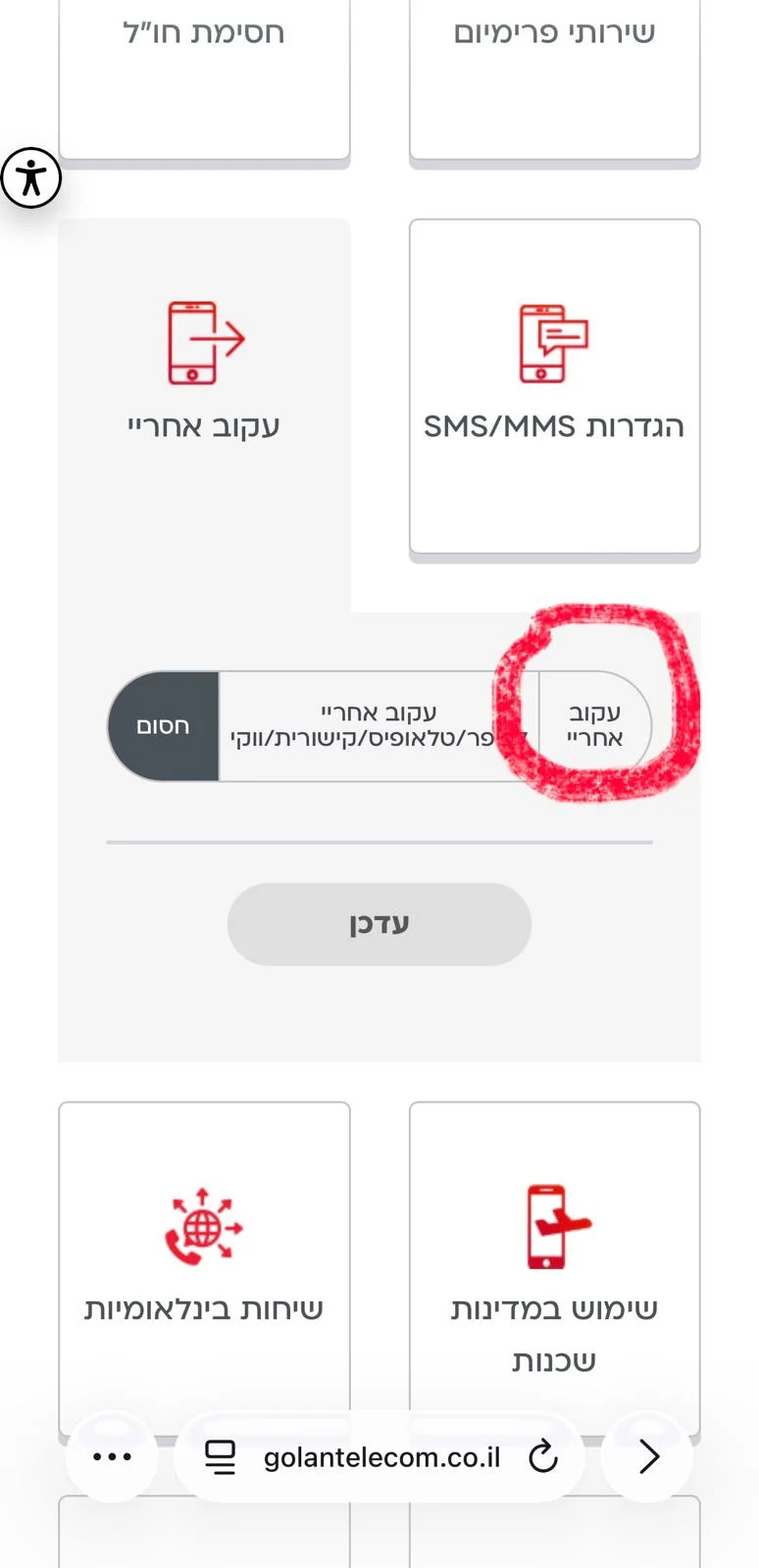
Enter Forwarding Number
After clicking "Follow Me" again, a field will open for you to enter the number to forward calls to. Enter our number so we can identify your hidden callers. Enter our forwarding number and check the top box for "When the line is busy, the call will go directly to the phone number that was set".
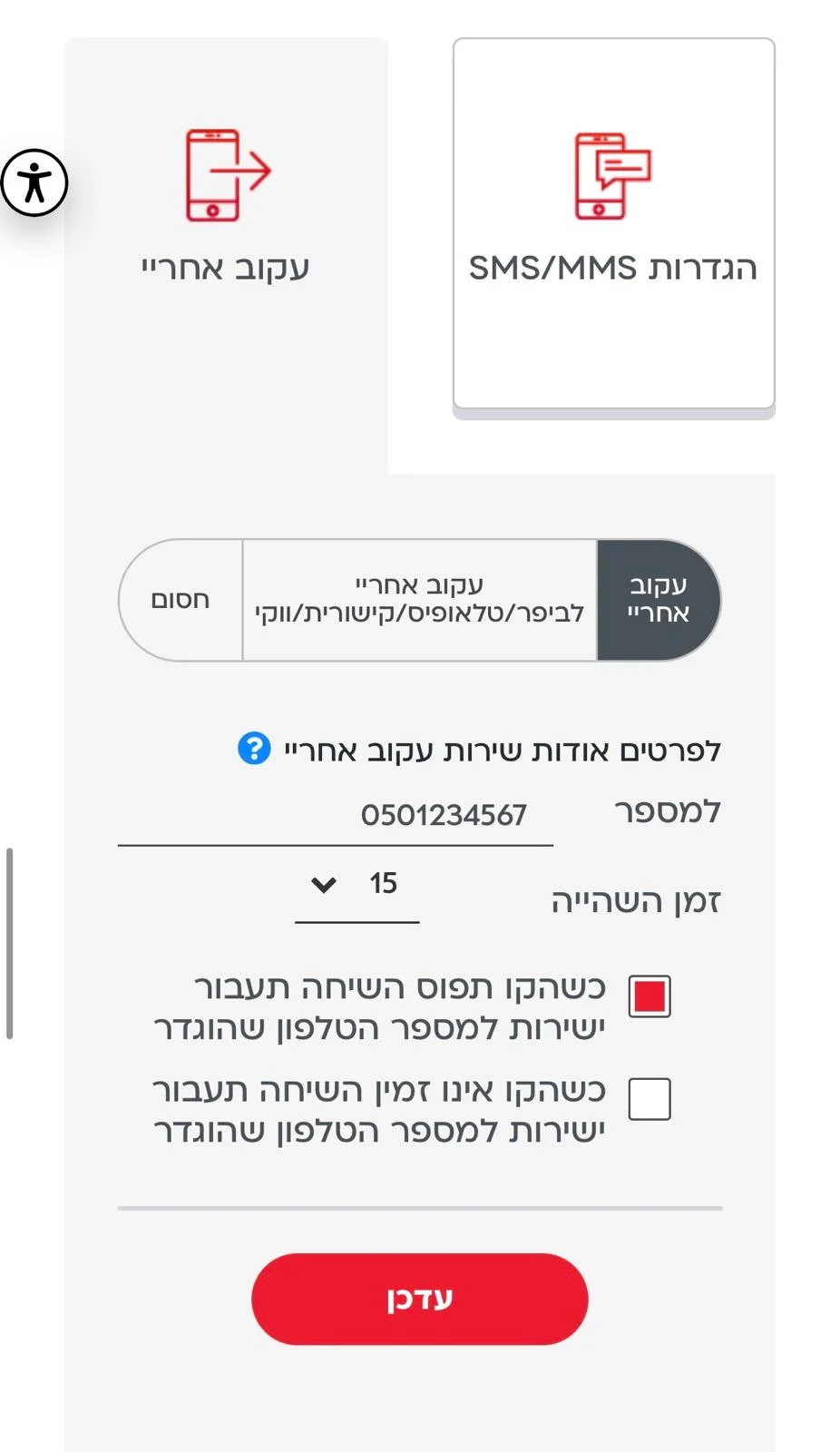
The number shown in the image is NOT our forwarding number; it's just an example for illustration. If you don't know our forwarding number, you can contact us through support.
Verify and Update
Make sure everything is correct and that you've gone through the entire guide patiently. After verifying everything is in order, click the "Update" button.
Done!
Thank you for your patience! Now you can easily identify hidden calls with Traceback.
For any questions or requests, you can contact us via email: support@traceback.co.il
Traceback.co.il